Naar inhoud

Winkelwagen

Je winkelwagen is leeg

Doorgaan met winkelen

How do I replace my Aduro-tronic automatic?

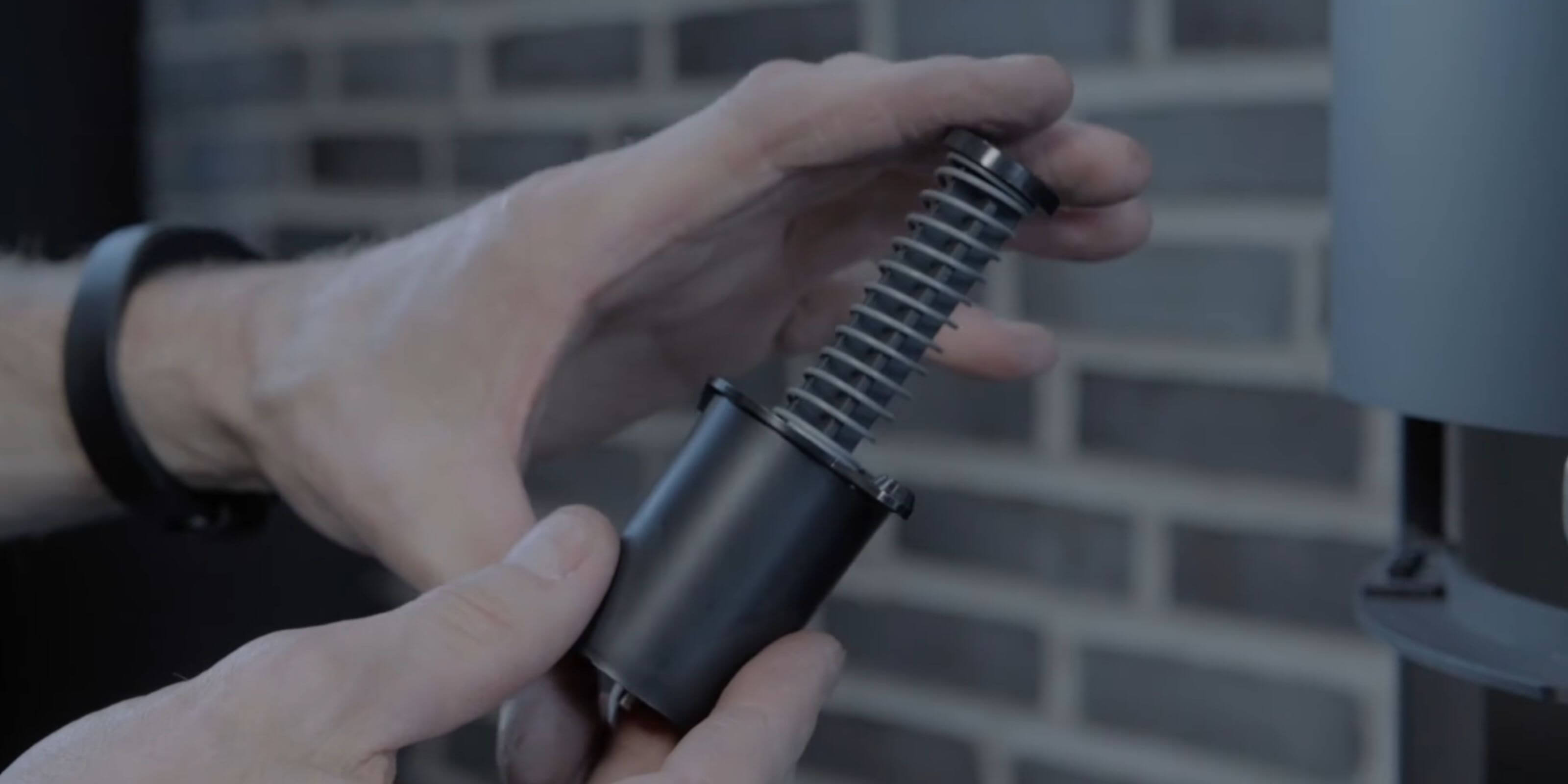
If the Aduro-tronic cartridge is defect, you can replace it yourself. However, the procedure differs depending on whether you have a black or white Aduro-tronic cartridge.

PLEASE NOTICE: All changes/adjustments/tests must be conducted, when the stove is cold.

White cartridge

  • If the wood burning stove has a drawer, remove it by clicking the drawer off its runners. Lift the black pal on the slide on the one side and press down on the other side. The drawer can now be removed.
  • The cartridge is removed by taking off the brass nut at the end of the cartridge (10 mm nut). 
  • The new cartridge is to be put in place and the brass nut is attached and tightened (to be able to tighten the nut completely, use pointed pliers to brace the bar in the middle of the cartridge).
Video udskiftning af hvid Aduro-tronic på Aduro 9-serien

Zwarte patroon

  • Heeft uw kachel een lade, dan kunt u deze verwijderen door de lade voorzichtig van de rails te klikken. Til aan één kant van de rail de zwarte pal omhoog en duw deze aan de andere kant omlaag, zodat u de lade eruit kunt trekken.
  • Bij bepaalde modellen kan het nodig zijn om zowel de ‘banaan’ onder de Aslade als het hitteschild, waarop de Aduro-tronic is gemonteerd, te demonteren.
  • Draai de twee schroeven in het midden los om de patroon te verwijderen.
  • De patroon kan nu zonder verder gereedschap worden verwijderd.
  • Plaats de nieuwe patroon, monteer de schroeven en draai ze vast.

Zo vervangt u Aduro-tronic op houtkachels uit de Aduro 9 serie:

Video udskiftning af sort Aduro-tronic på Aduro 9-serien

How to replace Aduro-tronic on wood burning stoves from the Aduro 15 series:

Video udskiftning Aduro-tronic på Aduro 15-serien

Did you not find, what you were searching for?

Buy spare parts for your stove

Buy spare parts

Submit claim

Fill in claim form

Compare models

You can compare up to 3 products at a time

Compare