Skip to content

Cart

Your cart is empty

Continue shopping

How do I adjust the Minimum Threshold on my Aduro pellet stove?
Difficulty level: Intermediate
Time consumption: 10 minutes

NB: Any adjustment of the settings is on your own responsibility.

P1-series and P4

To gain access the technical settings, follow this guide until “How to adjust the technical settings”.
Then proceed as follows:

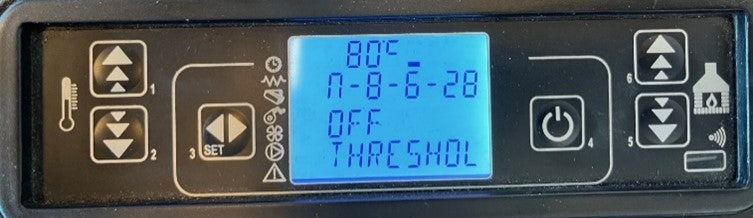
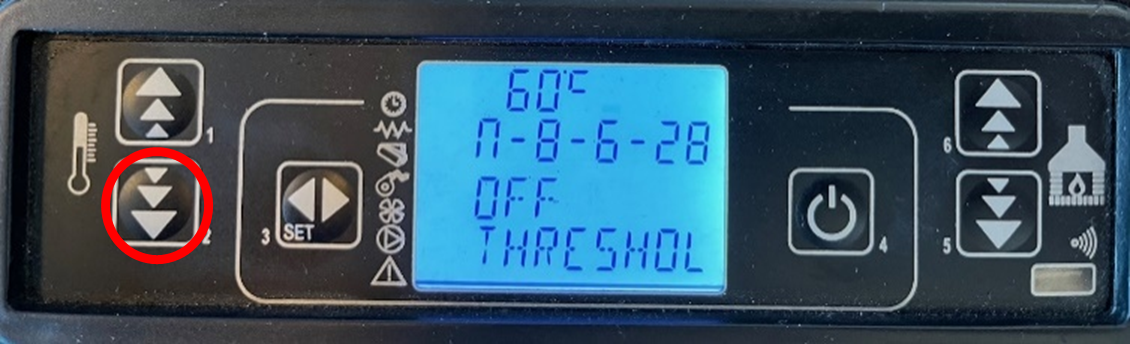
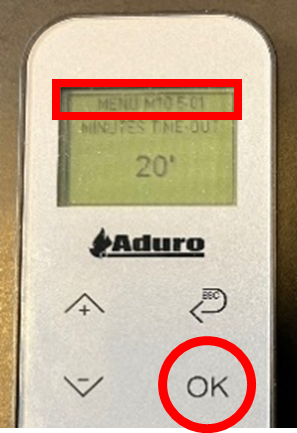
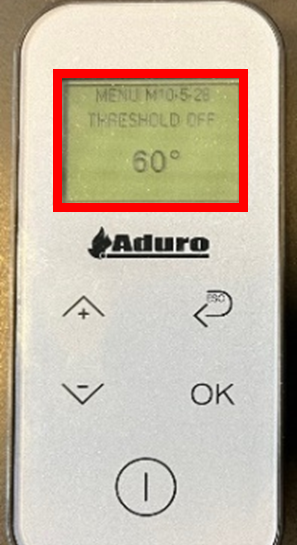
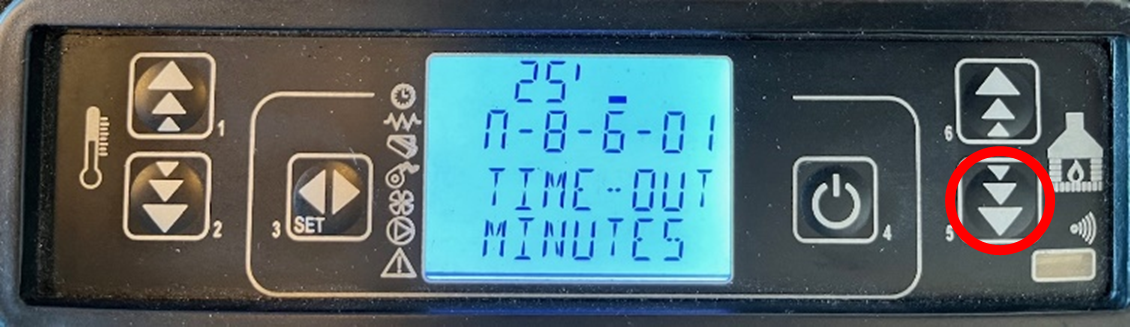
  1. Use the button 5 to go forward through the settings until M-8-6-28 (OFF THRESHOLD) is reached (image 1+2).
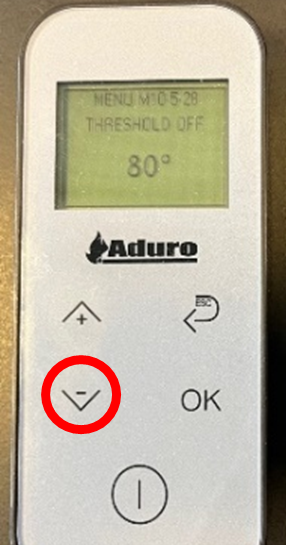
  2. Adjust the temperature from 80°C down to 60°C using key 2 (image 3+4).
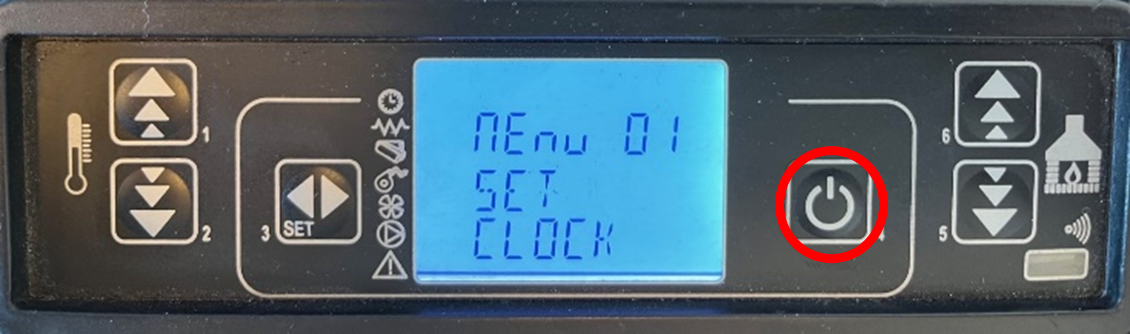
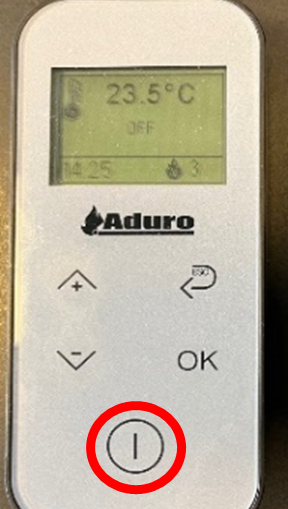
  3. Press button 4 multiple times to return to main menu.

Indstilling af minimumstærsklen for pilletilførslen på P1- og P4-serien

Image 1

Indstilling af minimumstærsklen for pilletilførslen på P1- og P4-serien

Image 2

Indstilling af minimumstærsklen for pilletilførslen på P1- og P4-serien

Image 3

Indstilling af minimumstærsklen for pilletilførslen på P1- og P4-serien

Image 4

P5-series
To gain access the technical settings, follow this guide until “How to adjust the technical settings”. Then proceed as follows:

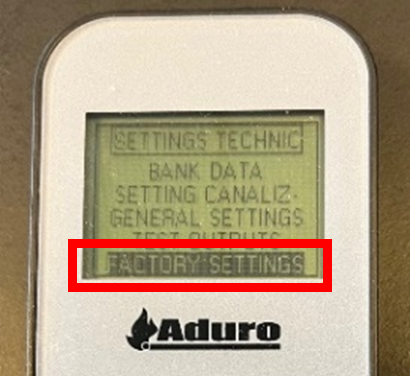
  1. Select “FACTORY SETTINGS” (image 5).
Factory setting på fjernbetjening til Aduo P5

Image 5

2. Press OK to navigate down to menu “M10-5-28” (image 6).

3. Press arrow (-) to adjust the setting to 60°C (image 7+8).

4. Press “On” several times to return to start menu (image 9).

Markering af 'ok' på fjernbetjening til P5

Image 6

Markering af temperatur på fjernbetjenings til P5

Image 7

Markering af 'pil ned' på fjerbetjening til P5

Image 8

Markering af afslut på fjernbetjening til Aduro P5

Image 9

Did you not find, what you were searching for?

Buy spare parts for your stove

Buy spare parts

Submit claim

Fill in claim form

Compare models

You can compare up to 3 products at a time

Compare